IAM Marketplace
Catalog of ready-made agents and a conversational builder for custom scenarios.
Key capabilities
- Agent discovery, configuration and installation
- Conversational assembly of a custom AgentPackage
- Quotas, schedules, Telegram and hosted runtime
Step-by-step guides
Use cases
Start with the outcome: open a guide, prepare prerequisites, follow the steps and verify the success signals.
01 Find a ready-made agent for a taskThe user gets relevant solutions and understands required data and integrations.
- Audience
- Business user
- Outcome
- The user gets relevant solutions and understands required data and integrations.
Before you start
- Desired result
- Known data sources
- IAM account for installation
Steps
- Describe the task in plain languageState frequency, sources and output format; do not start with a technology name.
- Send the requestMarketplace suggests existing listings or the path to create a new agent.
- Compare listingsReview publisher, tools, data perimeter, schedule and cost.
- Sign in and installAfter sign-in, confirm the tenant and scopes granted to the agent.
Step screenshots

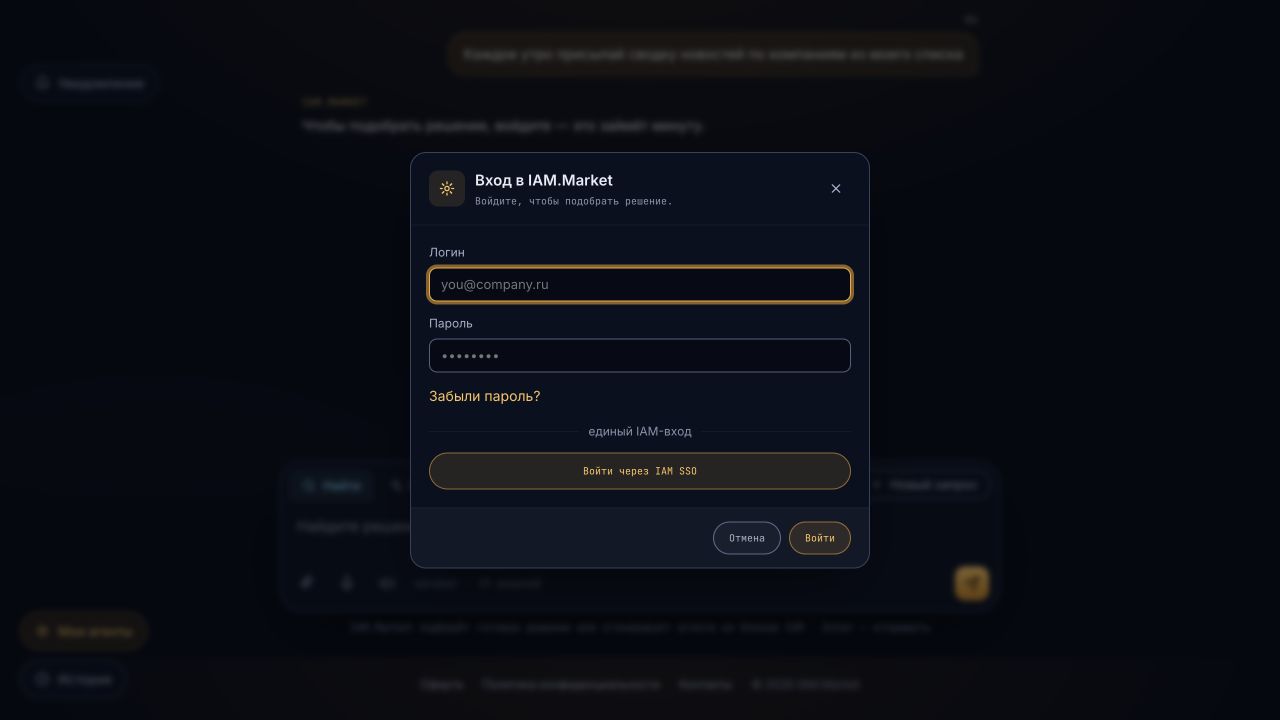
Video guide
The frames follow the sequence above; every screenshot caption names the state to verify.
Media provenance: Captured on 6 August 2026 from the public iam.market production UI with no user data.
The agent appears in My agents and requested scopes match the install card.
If no listing matches, switch to Create and keep the original criteria.
02 Create a custom agent through conversationThe conversation becomes a reviewable AgentPackage with tools, guardrails and a schedule.
- Audience
- Process owner
- Outcome
- The conversation becomes a reviewable AgentPackage with tools, guardrails and a schedule.
Before you start
- Process description and exceptions
- Integration-system list
- Result owner
Steps
- Switch to CreateDescribe inputs, decision, output and escalation conditions.
- Answer clarifying questionsSpecify frequency, tools, memory, privacy, failure behavior and success metric.
- Review the packageReview system prompt, allowlist, scopes, provider/model and guardrails.
- Run a sandbox testUse test data and verify normal, empty and failure cases.
Sandbox completes without forbidden calls and the package version is saved before installation.
If the agent requests excessive access, reduce tools/egress and rerun sandbox.
Open detailed manual
Every application screen has a separate page with controls, safe example values, CLI/API alternatives and status-specific recovery steps.
Role in the ecosystem
IAM Marketplace allows you to find a ready-made agent or create your own AgentPackage in the dialog. The package describes the purpose, instructions, tools, secrets, limits and launch method; the running workload remains in the isolated IAM.Hosting perimeter.
User path
- Find an agent in the catalog or describe the task to the builder-assistant.
- Check the proposed capabilities, schedule and integrations.
- Connect scoped credentials without transferring secrets to the package author.
- Perform a test run and examine the result/log.
- Publish privately or make the package available to other users.
Package model
The versioned AgentPackage is separated from the runtime instance. This allows repeat a launch, roll back the configuration and trace package provenance through execution. Telegram, webhooks and schedules are delivery channels, not sources of unlimited powers.
Security and billing
Each launch receives a tenant/user scope, quota and list of allowed tools. Sensitive values are stored as credential references. Usage is calculated from completed runs; expired idle workloads stop. An agent error must not charge the user repeatedly without a separately confirmed result.
Limit of responsibility
The Marketplace is responsible for discovery, configuration and publishing. Kubernetes lifecycle, scale-to-zero and process isolation belong to IAM.Hosting.
Verified entry points
- Application
- https://iam.market/
- Portfolio
- https://iamgroup.ru/en/